Introduction
If you spend a lot of time in the terminal, fzf is probably already part of your muscle memory. It is one of the commands I use constantly, probably once every ten minutes during normal terminal work.
The core idea is simple: fuzzy-match text and choose one item from a list. The moment shell integration is enabled, though, that simple idea becomes a workflow primitive.
The two bindings I use most are:
CTRL-T: fuzzy-search files and directories under the current directory, then insert the selected path into the current command line.CTRL-R: fuzzy-search shell history, which is much better than the default reverse search when you are trying to recover a long command from last week.
With ALT-C, **<TAB>, pipes, tmux scripts, git branch pickers, and project switchers, fzf ends up owning a huge category of terminal workflows: "show me candidates and let me choose one quickly."
The CJK gap in fzf-style search
fzf handles Japanese, Korean, and Chinese Unicode text as text. If the visible string and the query use the same characters, it works.
The problem is that CJK search often needs to match text that is related in a human sense but different as a byte string.
For Japanese, even a single "a" sound can appear as:
- half-width katakana:
ア - full-width katakana:
ア - hiragana:
あ - ASCII:
a/A - full-width ASCII:
a/A
Kanji makes this more visible:
日本人: kanjiにほんじん: kana readingnihonjin: romaji reading
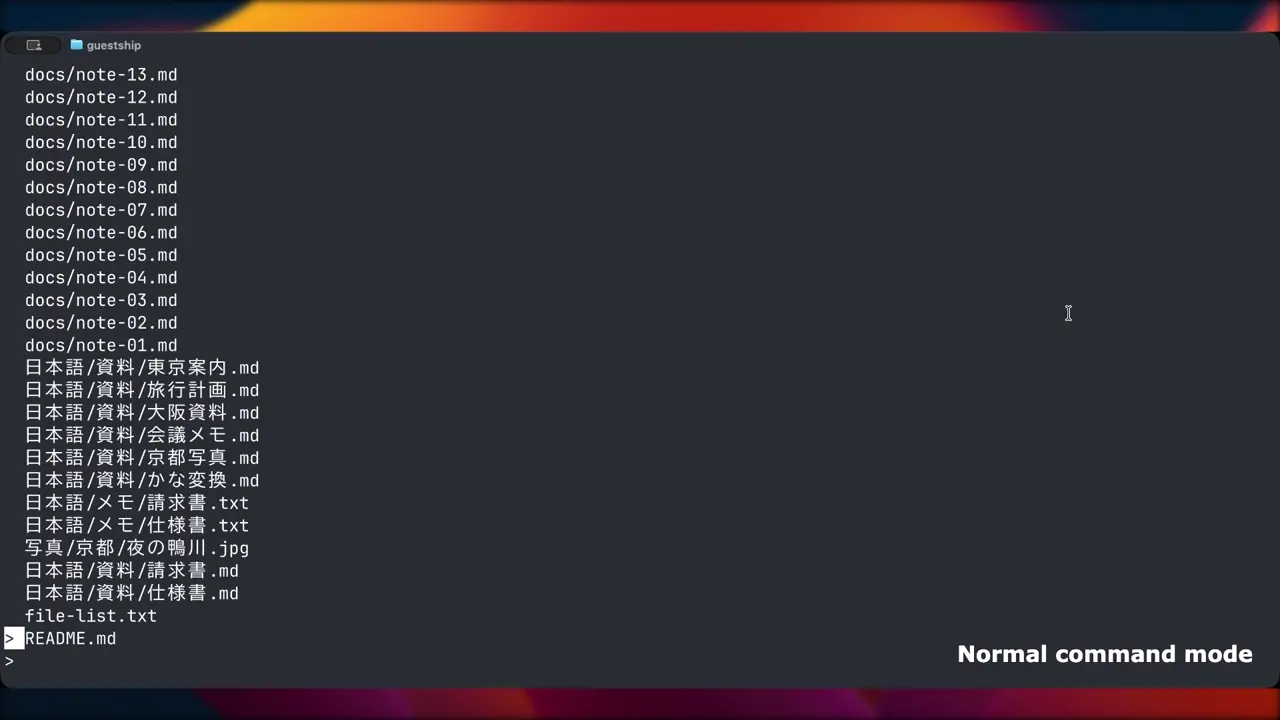
As humans, we often want these to be searchable as related forms. With plain fzf-style matching, nihonjin will not find 日本人.txt. In a directory full of Japanese filenames, that means switching IMEs just to keep using a fuzzy finder, which breaks the whole point of a fast terminal picker.
Chinese and Korean have similar issues. Chinese users often think in pinyin or initials. Korean users may search through romanization, Hangul choseong initials, or 2-set keyboard input. These are connected in the user's head, but plain string matching does not see the connection.
Yuru
I built Yuru to fill that gap. It is a Rust command-line fuzzy finder that tries to feel familiar to fzf users while treating Japanese, Korean, and Chinese phonetic search as a first-class feature.
Portfolio: Projects / Yuru
The name comes from ゆるい, meaning loose or relaxed. The idea is that the query can be a little loose, and Yuru should still try to recover the intended multilingual text.
Basic examples:
# Romaji can match kana and kanji-backed Japanese readings
printf "カメラ.txt\n" | yuru --lang ja --filter kamera
printf "tests/日本人の.txt\n" | yuru --lang ja --filter nihon

# Chinese pinyin initials
printf "北京大学.txt\nnotes.txt\n" | yuru --lang zh --filter bjdx

# Korean romanization, choseong initials, and 2-set keyboard input
printf "한글.txt\nnotes.txt\n" | yuru --lang ko --filter hangeul
printf "한글.txt\nnotes.txt\n" | yuru --lang ko --filter ㅎㄱ
printf "한글.txt\nnotes.txt\n" | yuru --lang ko --filter gksrmf
--lang auto chooses one language backend from locale, query characters, and the currently available candidate sample.
printf "北京大学.txt\n" | LANG=zh_CN.UTF-8 yuru --lang auto --filter bjdx
--explain is useful when debugging why a match won.
printf "北京大学.txt\n" | yuru --lang zh --filter bjdx --explain
That matters because CJK matching often uses a generated search key rather than the visible candidate text. Seeing the winning key makes it much easier to debug indexing and scoring behavior.
The key model
fzf mostly works with one searchable string per input line. Yuru changes that model: one visible candidate can have multiple searchable keys.
For a visible path such as 資料/東京駅.pdf, Yuru may index:
- the original text
- normalized-width text
- Japanese kana reading
- Japanese romaji reading
- other language-specific generated keys
- source spans that map generated keys back to visible text
This lets tokyoeki match 東京駅. More importantly, the match can still highlight the original 東京駅 span rather than treating the entire CJK run as one opaque hit.
Japanese matching
--lang ja adds width normalization, kana keys, romaji keys, and optional kanji readings through Lindera's embedded IPADIC dictionary.
Yuru also accepts common IME-style romaji aliases:
zyucan matchじゅnn/xncan matchんltsu/xtsucan matchっlyu/xyucan matchゅ
Japanese filenames often include dates, so numeric context has some extra handling too.
printf "2025年8月.pdf\n" | yuru --lang ja --filter 20258gatsu
printf "重要事項\n" | yuru --lang ja --filter zyu
The goal is not linguistic perfection. The goal is terminal search recall that matches how people actually type while moving fast.
Korean matching
--lang ko decomposes Hangul syllables and generates:
- romanized keys:
한글->han geul/hangeul - choseong initials:
한글->ㅎㄱ - Korean 2-set keyboard input:
한글->gksrmf
printf "한글.txt\nnotes.txt\n" | yuru --lang ko --filter hangeul
printf "한글.txt\nnotes.txt\n" | yuru --lang ko --filter ㅎㄱ
printf "한글.txt\nnotes.txt\n" | yuru --lang ko --filter gksrmf
The current romanization is deterministic and optimized for fuzzy-finder recall and source-span highlighting. Pronunciation assimilation such as 같이 -> gachi or 신라 -> silla is future work.
Chinese matching
--lang zh adds pinyin keys:
- full pinyin with spaces
- joined pinyin
- initials
printf "北京大学.txt\nnotes.txt\n" | yuru --lang zh --filter beijing
printf "北京大学.txt\nnotes.txt\n" | yuru --lang zh --filter bjdx
For polyphonic characters, zh.polyphone = "common" adds a small capped set of common alternate readings. Yuru intentionally does not build a full Cartesian product of every possible reading, because that would make candidate keys explode.
Performance shape
The expensive multilingual work happens on the candidate side. Yuru builds search keys while indexing candidates, then query changes search the already-built keys.
To keep this bounded, Yuru caps:
max_query_variantsmax_search_keys_per_candidatemax_total_key_bytes_per_candidate
Interactive mode can open while stdin or a default command is still producing candidates. A source worker streams records into the live candidate set, and a search worker reruns against the currently available data. If you want fzf-style startup that waits for all input, use --sync.
The current benchmark suite on a macOS Apple Silicon development machine shows 100k-candidate searches in roughly millisecond-to-few-millisecond territory for common cases, and a 1M plain search in the tens of milliseconds. Kanji-heavy indexing is more expensive because reading generation is heavier, but the hot search path is kept close to linear in candidate count and key length.
fzf compatibility
Yuru is not trying to be a byte-for-byte fzf clone. It is meant to sit next to fzf and preserve the important habits.
It accepts and implements common fzf options such as:
--query--filter--select-1--exit-0--print-query--read0--print0--nth--with-nth--accept-nth--scheme--walker--expect--header--header-lines--preview--multi
--bind support is partial, so compatibility mode controls how unsupported bind actions behave.
yuru --fzf-compat warn    # default: warn about unsupported bind actions
yuru --fzf-compat strict  # fail
yuru --fzf-compat ignore  # silently ignore
FZF_DEFAULT_OPTS is loaded in safe mode by default. Search and scripting options are kept; UI-heavy or shell-execution-oriented options are dropped unless you explicitly choose a broader mode.
yuru --load-fzf-default-opts never
yuru --load-fzf-default-opts safe
yuru --load-fzf-default-opts all
Shell integration provides CTRL-T, CTRL-R, ALT-C, and **<TAB> for bash, zsh, fish, and PowerShell.
Built-in preview
[preview] command = "auto" or --preview-auto enables Yuru's built-in preview.
Text files use bat when available and fall back to plain output. Image files are rendered inside the terminal through ratatui-image. Raster images and SVGs are supported. Ghostty uses the Kitty graphics protocol, including inside tmux when passthrough is enabled.
You can force the image protocol when auto detection is wrong:
export YURU_PREVIEW_IMAGE_PROTOCOL=kitty
export YURU_PREVIEW_IMAGE_PROTOCOL=sixel
export YURU_PREVIEW_IMAGE_PROTOCOL=iterm2
export YURU_PREVIEW_IMAGE_PROTOCOL=halfblocks
Preview work runs off the main UI loop. Selection changes, preview commands, decoded images, and terminal encodings are cached or sent through workers so query input and cursor movement stay responsive.
Install
Yuru installs into user space by default and does not require sudo. The latest release at the time of writing is v0.1.7.
macOS / Linux:
curl -fsSL https://raw.githubusercontent.com/Ameyanagi/yuru/v0.1.7/install \
  | sh -s -- --all --version v0.1.7
To preselect guided-install defaults:
curl -fsSL https://raw.githubusercontent.com/Ameyanagi/yuru/v0.1.7/install \
  | sh -s -- --all --version v0.1.7 \
    --default-lang none \
    --preview-command auto \
    --preview-image-protocol none \
    --path-backend auto \
    --bindings all
Windows PowerShell:
$script = Invoke-RestMethod https://raw.githubusercontent.com/Ameyanagi/yuru/v0.1.7/install.ps1
Invoke-Expression "& { $script } -All -Version v0.1.7"
From crates.io:
cargo install yuru
The crates.io package and installed command are both yuru. Source builds use Lindera's embedded IPADIC dictionary for Japanese readings, so they require a working C compiler. Release binaries do not require a local compiler.
Manual shell setup:
eval "$(yuru --bash)"
source <(yuru --zsh)
yuru --fish | source
yuru --powershell | Invoke-Expression
Configuration
Yuru reads ~/.config/yuru/config.toml. CLI arguments take precedence.
[defaults]
lang = "auto"
scheme = "path"
case = "smart"
limit = 200
load_fzf_defaults = "safe"
fzf_compat = "warn"

[preview]
command = "auto"
text_extensions = [
  "txt",
  "md",
  "markdown",
  "toml",
  "json",
  "yaml",
  "yml",
  "csv",
  "tsv",
  "log",
  "rs",
  "py",
  "js",
  "ts",
  "tsx",
  "sh",
  "ps1",
  "sql",
  "html",
  "css",
]
image_protocol = "none"

[matching]
algo = "greedy"
max_query_variants = 8
max_search_keys_per_candidate = 8
max_total_key_bytes_per_candidate = 1024

[ja]
reading = "lindera"

[ko]
romanization = true
initials = true
keyboard = true

[zh]
pinyin = true
initials = true
polyphone = "common"

[shell]
bindings = "all"
path_backend = "auto"
ctrl_t_command = "__yuru_compgen_path__ ."
ctrl_t_opts = "--preview-auto"
alt_c_command = "__yuru_compgen_dir__ ."
alt_c_opts = "--preview-auto"
fzf-v1 and fzf-v2 are compatibility-inspired algorithm names rather than exact fzf ports. fzf-v1 uses Yuru's greedy scorer, while fzf-v2 and nucleo use the nucleo-backed quality scorer.
Development note
Yuru was developed with heavy AI assistance for implementation and documentation. The project direction, feature choices, language behavior, testing decisions, release process, and maintenance are human-led. The code is reviewed, tested, and maintained as an open-source project rather than published as unreviewed AI output.
Useful local commands:
./scripts/install-hooks
./scripts/check
./scripts/bench
YURU_BENCH_1M=1 ./scripts/bench
YURU_BENCH_KANJI_HEAVY=1 ./scripts/bench
yuru doctor checks local setup:
yuru doctor
Try it
If you regularly work with CJK filenames or text in the terminal, Yuru should remove a small but constant source of friction: switching input methods just to keep using a fuzzy finder.
The repository is github.com/Ameyanagi/yuru. Bug reports and feature requests are welcome through Issues. The project is dual-licensed under MIT / Apache-2.0, and the latest release at the time of writing is v0.1.7.
Links: GitHub · crates.io · Japanese README · Chinese README · Korean README